A successful online shop
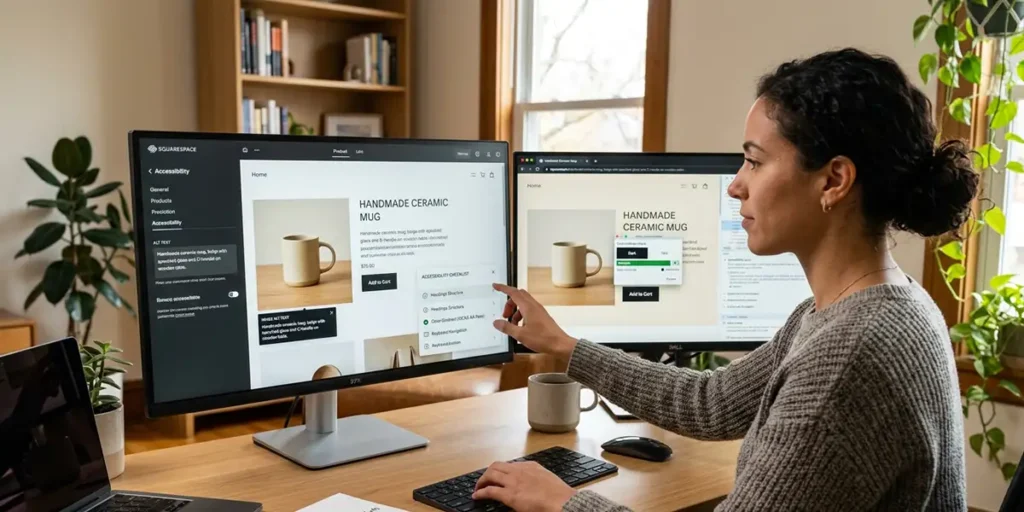
A successful WooCommerce shop is about far more than simply adding products to a website and waiting for customers to arrive. Whether you are selling physical products, digital downloads, or services, the success of your online shop depends heavily on user experience, search visibility, site performance, and the overall purchasing journey. An effective WooCommerce website should guide visitors smoothly from their first visit through to completing a purchase and becoming a repeat customer.
Prioritise User Experience Above Everything Else
The foundation of every successful WooCommerce shop is ease of use. Visitors should be able to find what they need quickly and without frustration. A confusing layout, cluttered navigation, or a poor mobile experience can quickly drive potential customers away.
Website navigation should be simple and logical, with clear product categories, a prominent search function, and intuitive menu structures. Customers should never have to guess where to click next. Product pages should be easy to read and contain all the information buyers need to make an informed decision.
Clear calls to action are equally important. Buttons such as “Add to Basket”, “Buy Now”, “Request a Quote”, or “Learn More” should stand out visually and be positioned prominently throughout the shopping journey. Every page should encourage visitors towards a specific action rather than leaving them unsure what to do next.
As more than half of website traffic typically comes from mobile devices, a WooCommerce shop must also be fully responsive. Product images, navigation menus, checkout forms, and payment buttons should all function perfectly on smartphones and tablets.
Simplify the Checkout Process
One of the biggest causes of cart abandonment is an overly complicated checkout process. Customers expect purchasing online to be quick and straightforward.
A WooCommerce checkout should:
- Minimise the number of steps required.
- Request only essential information.
- Offer guest checkout where appropriate.
- Clearly display shipping costs and delivery times.
- Provide trusted payment options.
- Work flawlessly on mobile devices.
Customers can become frustrated when they are forced to create accounts before purchasing, encounter unexpected costs at checkout, or face lengthy forms. Reducing these barriers can significantly improve conversion rates.
Popular payment gateways such as Stripe, PayPal, Apple Pay, and Google Pay can streamline transactions and provide reassurance through familiar branding and security features.
Provide Clear Messaging Before, During and After Purchase
Communication plays a vital role in building trust and increasing customer satisfaction.
Before purchase, product pages should answer common customer questions. This includes detailed descriptions, specifications, dimensions, delivery information, and clear pricing. High-quality images and videos can help customers understand exactly what they are buying.
During purchase, users should receive clear feedback about each step of the checkout process. Progress indicators, order summaries, and confirmation messages help reassure customers that everything is working correctly.
After purchase, communication remains equally important. Automated emails should confirm orders immediately and provide delivery updates where applicable. Customers should know exactly what happens next and how they can contact support if required.
A well-structured post-purchase experience can increase customer loyalty and encourage repeat purchases through follow-up emails, reviews requests, or special offers.
Optimise Product Pages for Conversions
Product pages are often the most important pages within a WooCommerce shop. Every element should support the customer’s decision-making process.
Effective product pages typically include:
- High-quality product photography.
- Multiple image angles.
- Zoom functionality.
- Detailed product descriptions.
- Clear pricing.
- Availability information.
- Customer reviews.
- Frequently asked questions.
- Related product suggestions.
Unique product descriptions are particularly important. Avoid copying manufacturer descriptions, as duplicate content can negatively impact search performance. Instead, write original content that highlights benefits as well as features.
Customer reviews can also play a significant role in increasing trust. Genuine reviews provide valuable social proof and may improve click-through rates from search engines.
Improve Website Speed and Performance
Website speed is a crucial factor for both user experience and search engine visibility. Studies consistently show that visitors are more likely to leave slow-loading websites.
A WooCommerce store should be optimised through:
- High-performance web hosting.
- Image compression.
- Caching solutions.
- Content delivery networks (CDNs).
- Database optimisation.
- Efficient plugin management.
- Modern image formats such as WebP.
Large product catalogues can place additional demands on website resources, making ongoing performance monitoring essential.
Faster websites provide smoother shopping experiences and frequently generate higher conversion rates.
Implement Product Schema Markup
Search engine optimisation remains one of the most effective ways to attract customers. One of the most valuable technical SEO techniques for WooCommerce is structured data, commonly known as schema markup.
Product schema helps search engines understand key information about products, including:
- Product name.
- Price.
- Availability.
- Reviews.
- Ratings.
- Brand information.
When implemented correctly, product schema can enhance search results by displaying rich snippets. These enhanced listings often stand out significantly compared to standard search results, helping improve click-through rates and attracting more qualified visitors.
WooCommerce SEO plugins can automate much of this process, ensuring search engines receive consistent and accurate product information.
Use FAQ Schema to Increase Visibility
Frequently Asked Questions can benefit both visitors and search engines.
A dedicated FAQ section helps address customer concerns before purchase, reducing hesitation and support requests. Typical questions might cover shipping, returns, sizing, warranties, installation, or compatibility.
Adding FAQ schema allows search engines to better understand this content and may increase the visibility of your pages in search results.
For WooCommerce stores, FAQs can be included:
- On product pages.
- Within category pages.
- On shipping information pages.
- On dedicated FAQ sections.
By answering customer questions directly, businesses improve user experience while also strengthening SEO performance.
Create Search Engine Friendly Category Pages
Product category pages are often overlooked but can become some of the highest-performing pages on a WooCommerce website.
Rather than listing products with little supporting content, category pages should include:
- Descriptive introductory text.
- Keyword-focused headings.
- Helpful buying guides.
- Links to featured products.
- Frequently asked questions.
Well-optimised category pages can rank for broader search terms and introduce customers to multiple products within a particular niche.
Strengthen Internal Linking
Internal linking helps both users and search engines navigate a website more effectively.
A well-structured WooCommerce store should include links between:
- Related products.
- Product categories.
- Blog articles.
- Buying guides.
- FAQs.
- Support pages.
For example, a blog article discussing product selection can link directly to relevant product categories. Similarly, product pages can link to helpful information pages and related items.
This creates a stronger site structure while encouraging users to explore additional content.
Leverage Content Marketing
Many successful WooCommerce websites attract traffic through useful content rather than relying solely on product pages.
Regular content may include:
- Buying guides.
- Product comparisons.
- Industry insights.
- Tutorials.
- Case studies.
- Frequently asked questions.
These articles help attract visitors during the research stage of the buying journey. By providing useful information, businesses can establish expertise and build trust before attempting to sell products.
A strong content strategy also creates additional opportunities for internal linking and organic search visibility.
Monitor and Improve Conversion Rates
Successful WooCommerce optimisation is an ongoing process rather than a one-off task.
Store owners should regularly analyse:
- Traffic sources.
- Conversion rates.
- Cart abandonment rates.
- Most viewed products.
- Search terms used by visitors.
- Checkout completion rates.
Tools such as Google Analytics, Google Search Console, Microsoft Clarity, and WooCommerce reporting can help identify areas where customers encounter friction.
Testing different page layouts, button styles, product descriptions, and checkout processes can reveal opportunities for continuous improvement.
How LightJuice Can Help Build a Successful WooCommerce Shop
Creating a high-performing WooCommerce website requires a combination of web design expertise, technical development skills, search engine optimisation, user experience design, and ongoing performance monitoring. This is where Bicester Web Designer & Developer – LightJuice can provide significant value.
LightJuice specialises in developing bespoke WordPress and WooCommerce websites that are designed to generate enquiries, sales, and long-term business growth. Rather than relying on generic templates, every website can be tailored to suit the specific goals of the business and the expectations of its customers.
Services include professional WooCommerce development, responsive mobile design, search engine optimisation, structured data implementation, page speed optimisation, conversion rate improvements, and ongoing website support. Product schema, FAQ schema, content optimisation, internal linking strategies, and technical SEO enhancements can all be incorporated to improve visibility within search engines and AI-powered search platforms.
For local businesses in Bicester and beyond, LightJuice can also help improve website performance through user-focused design approaches that make shops easier to navigate, simplify purchasing journeys, and increase customer confidence throughout the buying process.
By combining strong design principles, technical SEO expertise, and a detailed understanding of WordPress and WooCommerce, LightJuice helps businesses create online stores that not only attract visitors but convert them into loyal, long-term customers.